A power outage can interrupt watering and affect a sprinkler controller’s clock without erasing its saved schedule. What happens depends on the model and its backup system. Rain Bird documents schedule retention in non-volatile memory, while a factory reset is a different action that may erase programs. For Plano homeowners, the best first step is to check power, time, and the saved program before trying a reset.
Watch: Check Your Controller After a Power Outage
What Your Controller Keeps and What It Can Lose
Your programs are kept in memory
Controllers that store schedules in non-volatile memory retain those settings without continuous power. Rain Bird’s power-outage guidance describes this behavior for its controllers. Do not assume every older or different model behaves identically: use your exact model’s manual to confirm what is retained. A saved schedule also does not prove that the clock or power supply is working correctly.
Clock backup is separate from schedule storage
Keeping the time during an outage is different from saving a program. Depending on the model, timekeeping may rely on a battery or another backup arrangement with limited duration. Once power returns, check the displayed time, date, and AM or PM. Follow the manufacturer’s instructions if a user-replaceable battery needs attention; do not assume every controller uses the same battery or requires battery replacement.
An outage can interrupt an active cycle
Rain Bird’s guidance says an active watering session stops when AC power is lost, and its remaining watering time is cancelled. Once power returns, scheduled watering resumes. This does not mean the controller immediately makes up the interrupted cycle. Check your model’s instructions before assuming how it will recover, and avoid adding extra watering without considering soil conditions and local restrictions.
What to Check After the Power Comes Back
- Look at the display. A blank screen can indicate a power problem or a controller fault; it does not establish the cause by itself. If your controller plugs into an accessible outlet, check for an obvious loss of household power. Follow the manufacturer’s guidance for any No AC message. Do not open electrical compartments, handle wet equipment, or repeatedly reset a breaker or GFCI that keeps tripping. Arrange professional help for those conditions.
- Check the time, date, and AM or PM. Correct them according to your model’s instructions if needed. An incorrect clock can shift watering to an unexpected time even when the saved schedule is intact.
- Scroll through your program. Confirm the start times, watering days, and zone run times look the way you left them.
- If local rules and weather conditions allow, follow your manual’s procedure for a brief manual zone test. Observe whether water reaches that zone. A successful test does not verify automatic scheduling or rule out every fault. Skip the test during freezing conditions or when watering is restricted.
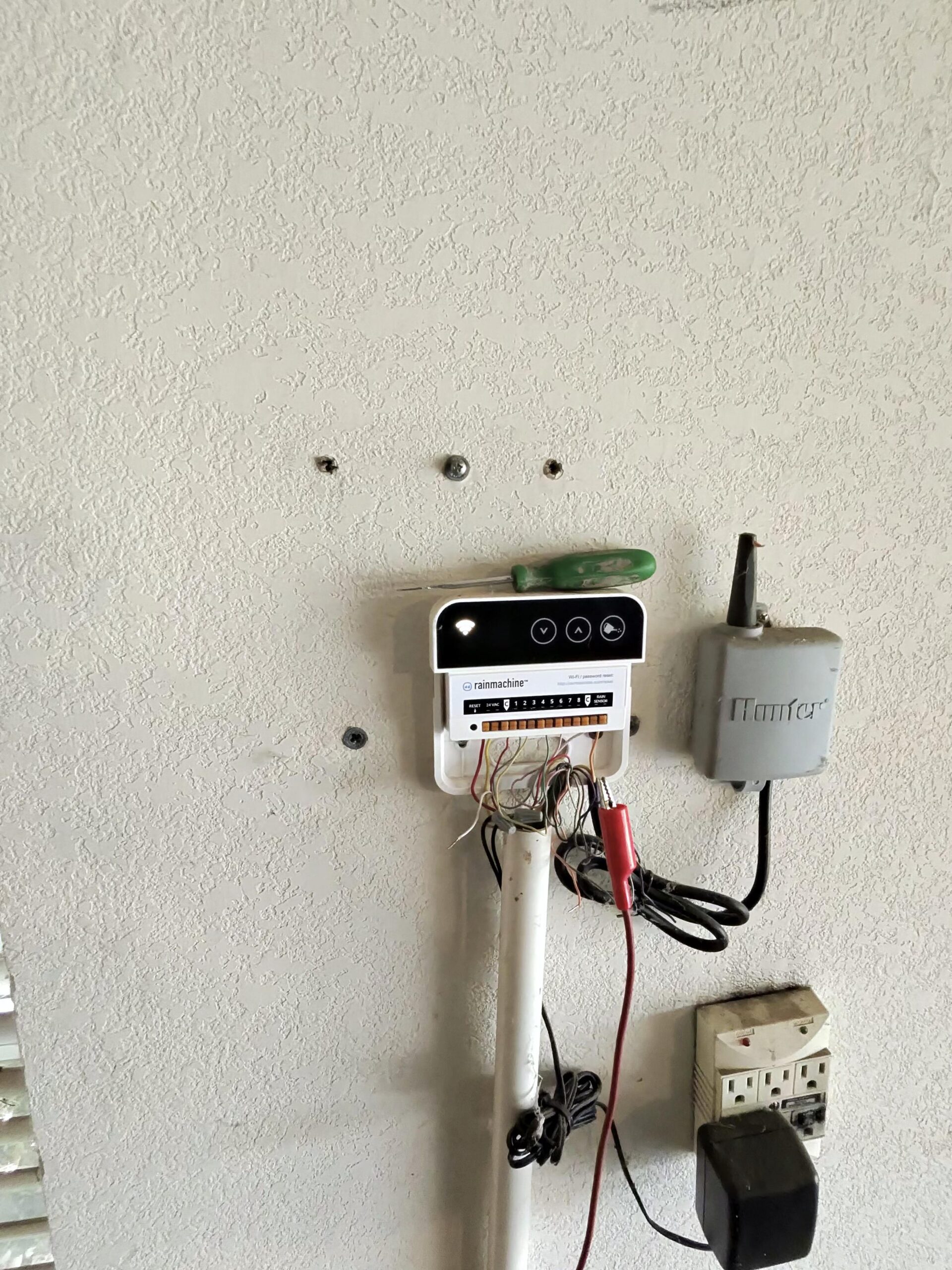
- Check the connection on a Wi-Fi controller after household internet service returns. Rain Bird says its Wi-Fi controllers should reconnect automatically. If yours remains offline, use its manufacturer troubleshooting guide. An offline app message does not by itself establish that the controller has lost its saved program.
If the Display Is Frozen or Acting Strangely
A frozen display or unresponsive buttons after an outage needs model-specific troubleshooting. These symptoms alone do not prove surge damage. Before resetting anything, photograph or write down the current settings if you can access them. Distinguish a restart from a factory reset, which may erase programming.
Rain Bird ESP-TM2
Use the ESP-TM2 manual’s troubleshooting and reset instructions for your version. Rain Bird distinguishes its RESET button from the separate factory-default procedure. Do not use a factory reset as the first response to an outage, and avoid opening any compartment you are not comfortable accessing.
Hunter X-Core
Use the X-Core manufacturer’s troubleshooting instructions for a frozen or garbled display. Confirm whether a proposed reset clears programming before performing it. Do not assume a saved backup exists or that it will restore automatically. If the instructions or symptoms are unclear, book a controller check instead of experimenting with button combinations.
Other models
Look up your exact model’s manual before pressing any reset button. If you are not sure which kind of reset you are about to run, it is worth calling for help first.
Signs the Outage Did More Than Reset the Clock
Persistent problems after power returns deserve a professional check. The timing alone does not prove that a storm damaged the equipment. Arrange service if you notice any of the following:
- The display stays blank even though the outlet has power.
- The controller repeatedly loses the time after it is corrected and the model’s timekeeping guidance has been followed.
- An error code persists. Note the exact message and model so a technician can check the appropriate manufacturer guidance.
- A zone shows as running, but no water comes out.
For more hardware symptoms, see our guide to a sprinkler controller that is not working and our broader look at sprinkler controller problems.
Get Your Plano Controller Checked
If your controller came back from an outage with problems you cannot sort out, our team can diagnose the controller, test its wiring and zones, and reprogram your schedule. Learn more about our sprinkler repair and irrigation services in Plano, or book a controller check online at a time that suits you. Whale Done’s irrigation work is performed under Texas irrigator license LI0029200.
Frequently Asked Questions
If the power goes out, do I lose the schedule on my controller?
An outage does not necessarily erase the schedule. Rain Bird documents that its controllers retain programmed schedules in non-volatile memory. Check your own model’s manual, then confirm the clock and saved program after power returns.
Is there a built-in backup of my schedule?
Some controllers offer a separate saved-program backup or restore feature in addition to retaining settings during an outage. Availability and behavior vary by model. Check your manual and confirm a backup was actually saved before relying on it.
Does my Wi-Fi controller need to be set up again after losing power or Wi-Fi?
Rain Bird says its Wi-Fi controllers should reconnect to the local network automatically once power or Wi-Fi service returns, so a new setup is not normally needed.
Should I reset my controller after a power outage?
A reset should not be the first step if the controller is responding normally. Check the clock, date, saved program, and any displayed messages first. If a reset is needed, follow your exact model’s manual and confirm whether it erases settings.
Need Your Controller Back on Track?
After a storm, you have enough to deal with. If you would rather have a pro look at your controller, our Plano team can check it, test your zones, and set your schedule back up. Book a visit online and pick a time that fits your week.
Related: Why a sprinkler controller misses its programmed schedule.
Sources: Rain Bird power-outage guidance, ESP-TM2 manual, and Hunter X-Core troubleshooting.